VanguardOrbFX
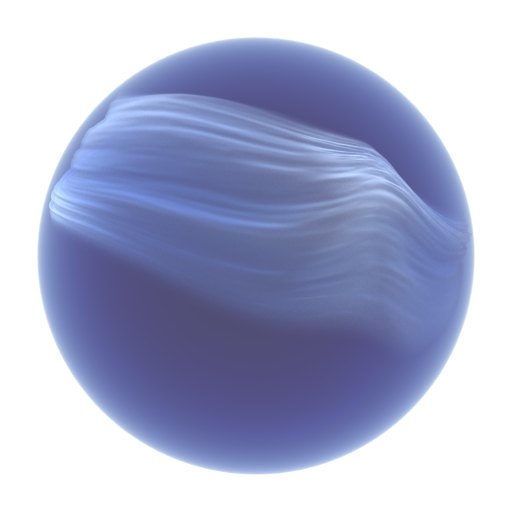
A glass orb with a silk veil inside, looping without a seam.
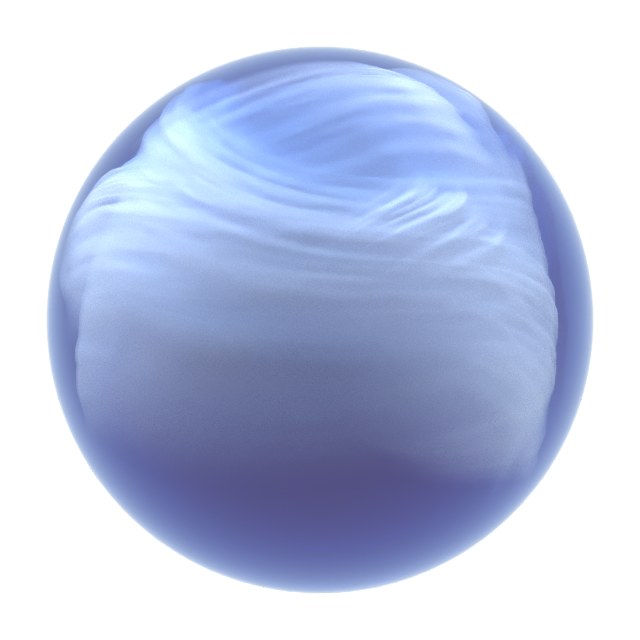
A glass orb for 3ds Max with a thin silk veil floating inside it. The veil is a real cloth simulation, run once on the GPU and cached as a loop - so the last frame meets the first exactly, and scrubbing the timeline costs nothing.
See it in actionFree 7-day trial
What it does
- 🔁 A loop with no seam - The cloth is simulated once and cached; the last frame lands exactly on frame 0 - measured in the plugin's own tests.
- ⚡ CUDA, with a CPU fallback - One solver for both. A change re-simulates in a fraction of a second on an RTX card.
- 🧵 Veils from your own meshes - Give it any UV-mapped mesh as the veil's starting shape. Edit the mesh and it re-simulates by itself.
- 🌀 Vortex Force for tyFlow - A space warp that holds particles on the sphere and swirls them around moving vortex seeds.
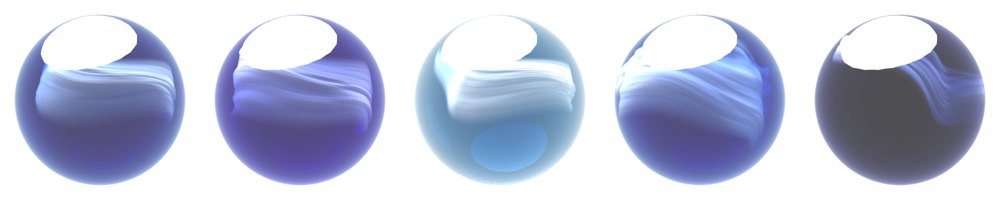
- 🎨 Five looks and a white studio - Presets, a studio set-up and a test render - one click each, from the Studio window.
- 🖼 Works in any renderer - Material IDs for every part and a density vertex colour. Builds Corona or Physical materials for you.


Release notes
What's new in 0.8.2
Render realtime (live view) works again.** In 0.8.1 it stopped with "No close function for undefined" and showed no image; it now shows the ink live, and writes each preview frame faster than before.
Folders and object names in any language.** A Windows user name, folder or object named in Persian (or any non-English script) made Ink renders, PRT and VDB exports fail. They now write and open normally.
Steadier buttons.** Render Ink frame and Ink over last render report a problem instead of throwing an error; About / Help finds the guide on an installed machine; Render test frame saves into your render output folder; pressing Render realtime twice no longer opens a second window.
What's new in 0.8.1
Everything now sits under the VanguardFX category.** Orb FX, Orb Ink and the vortex forces appear in Create > VanguardFX next to the other VanguardFX tools.
The tyFlow vortex script is licensed like the rest of the plugin.** It no longer ships as a readable file; the panel hands it to tyFlow after the licence check.
What's new in 0.8.0
Air bubbles in the glass.** Count, size, rise speed, wobble and shine, rendered by the Ink renderer.
Orb FX and Ink in one pass.** The silk veil renders inside the ink, ink in front of and behind the cloth, from one button on the panel.
Smoother playback.** Frames ahead of the time slider are computed while Max is idle.
Sequences you can stop.** Sequence render and PRT export show progress and stop with ESC; the frame range comes from Render Setup.
Small things:** an X beside every pick, map and material slot clears it, and the Perspective view renders without a camera.
What's new in 0.7.2
Fixes and polish for Orb Ink** and the Studio, Ink and Knot panels.
What's new in 0.7.1
Corona, hands-free.** With "Auto after Render" on, the ink is laid over
your Corona render by itself every time you press Render.
Reads compressed PRT files.** Krakatoa and tyFlow PRT sequences saved
compressed now render with the Orb's own renderer too.
Tested to 200 million particles** in a single Ink Orb.
What's new in 0.7.0
Ink knots.** Tie the ink into a knot: a ribbon that follows a path you
draw, with its own width and twist along the way - as veils, droplets,
smoke or a solid core.
New looks in one click.** Fabric veils, fabric droplets and ink petals
join Navy Ink, Silk Veils and Swirl Globe.
Light presets.** Studio soft, backlit glow, warm/cool split, underwater
blue and front fill - each sets up the lights for you, and one button
clears them again.
Faster previews.** Render the live view at half or quarter resolution
while you look for the shot, then go back to full size for the final.
What's new in 0.6.0
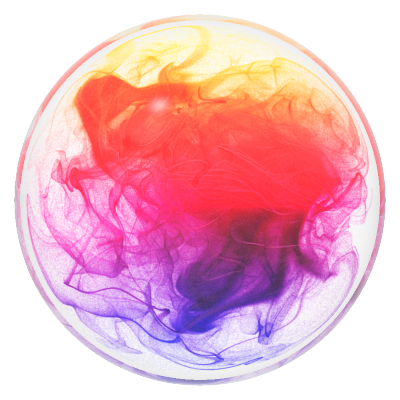
Vanguard Orb Ink: ink inside the glass, by the hundred million.** A new
object fills the orb with particles that a swirling flow stretches into
sheets and threads, like ink poured into water - tens of millions on the
GPU, still a perfect loop. Start from a preset and press Create Ink Orb.
See it live.** Render realtime opens a live view of the ink while you
tweak it.
Steer it.** Any object in the scene can be a vortex - move it, animate
it, and the ink follows. Emit from your own meshes, or assemble the ink
out of one or two source objects with a single Progress key.
Vanguard Ink Material.** Colour, absorption, scatter, emission and a
fabric-like edge falloff in one material. Colour can stick to the
particles, or follow speed, age, depth or height.
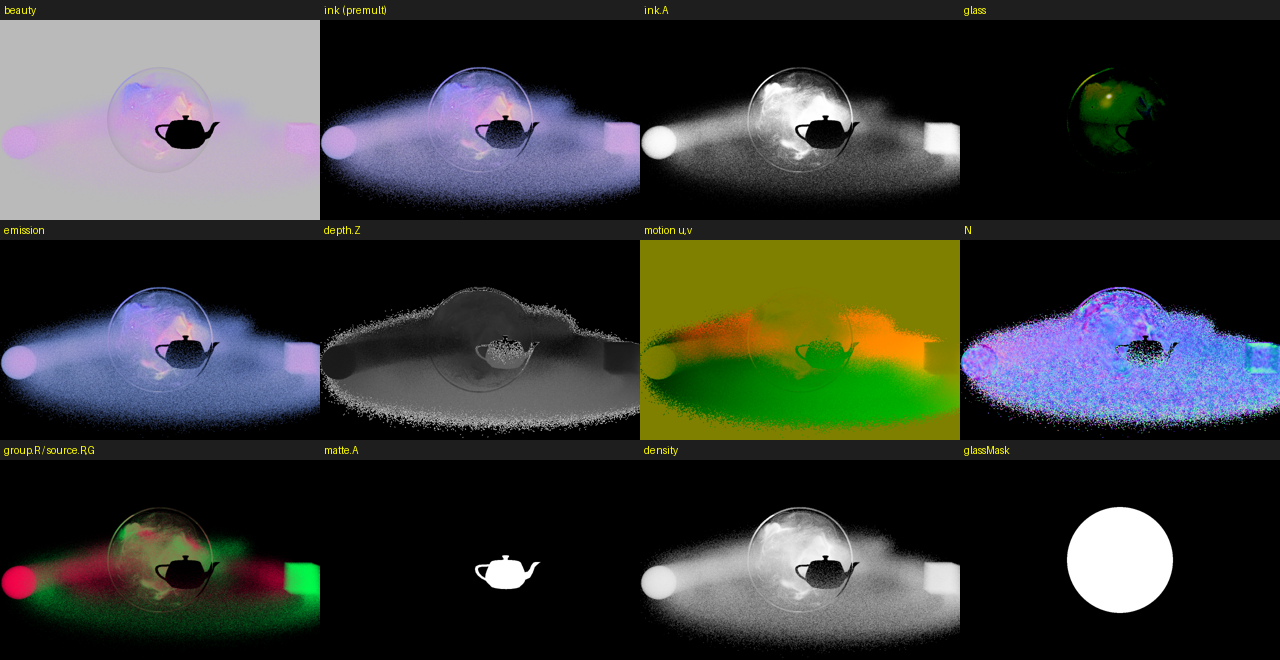
Ready for compositing.** Render straight to multi-layer EXR: beauty,
ink alone, glass, emission, depth, motion vectors, normals and mattes.
Transparent, colour or HDRI backgrounds, and matte or occluder objects
for real alphas.
Works with your renderer.** Lay the ink over your last Corona or V-Ray
render with one click, or export OpenVDB for V-Ray and PRT for Krakatoa.
PRT files from Krakatoa or tyFlow render with the Orb's own renderer too.
Glass, fog and glow** in the built-in renderer, seen through the
refracting sphere. Every frame renders the same on its own, so it is
safe on a render farm.
What's new in 0.3.0
Licensed through your VanguardFX account.** Buy once, sign in at
vanguardfx.pro/panel.php, press Download licence and paste it into the
licence window - the same signed licence every VanguardFX product uses,
tied to your machine and checked offline.
A year of updates, and the build stays yours.** Every build released in
the year after you buy keeps working for good; only newer builds ask for a
renewal.
The licence window does the work.** It shows your Hardware ID with a Copy
button, opens your panel, and takes the whole licence in one paste.